Linkerd Production Readiness: A Practical Pre-Launch Checklist


February 9, 2026
Rolling out Linkerd is not just about getting the mesh installed. The moment other teams or customers depend on your cluster, your service mesh becomes production infrastructure, whether you call the environment dev, staging, or prod. This checklist gives you a practical, slightly opinionated set of items to verify before you declare any Linkerd deployment production ready. Think of each section as a minimum bar. If you cannot confidently check it off, you are not there yet.
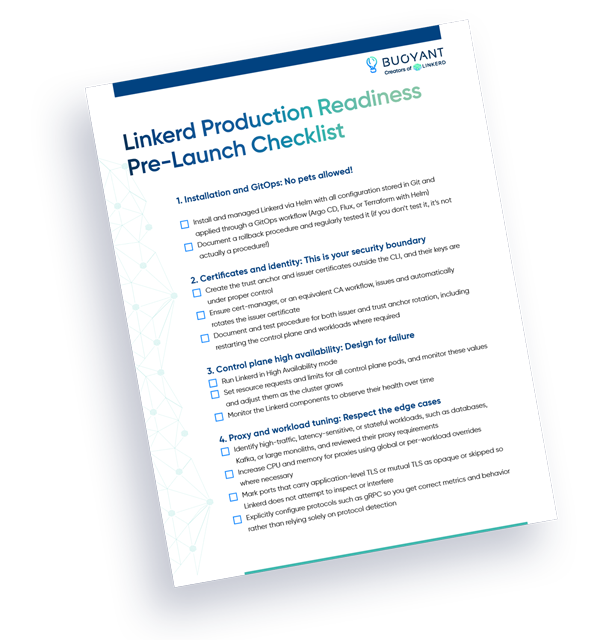
Download your checklist template.
1. Installation and GitOps: No pets allowed!
A production mesh must be reproducible. If your only installation procedure is “run these linkerd CLI commands,” you are setting yourself up for drift and painful upgrades. The linkerd install path is great for demos, not for clusters you expect to run for a long time.
Helm, combined with GitOps, gives you a source-controlled, reviewable, and repeatable install. You commit changes, open pull requests, and let tools like Argo CD or Flux reconcile the cluster to the desired state. This also gives you a clear story for disaster recovery. You can reapply the same manifests into a new cluster rather than trying to remember what you clicked or typed.
Make sure:
- Linkerd is installed and managed via Helm with all configuration stored in Git and applied through a GitOps workflow (Argo CD, Flux, or Terraform with Helm)
- A rollback procedure is documented and is regularly tested – if you don’t test it, it’s not actually a procedure!
2. Certificates and identity: This is your security boundary
Linkerd’s security model is built on strong identities and mutual TLS between services. That identity comes from a trust anchor and an issuer certificate. If those certificates are opaque, manually generated, or tied to someone’s laptop, you are taking on unnecessary risk.
In a production setup, certificates should have clear ownership, often shared between platform and security teams, well defined rotation policies, and automation wherever possible. Tools like cert-manager integrate cleanly with Kubernetes and can handle issuing and renewing the issuer certificate on a schedule that aligns with your security requirements.
Make sure:
- The trust anchor and issuer certificates were created outside the CLI and their keys are under proper control
- Cert-manager, or an equivalent CA workflow, issues and automatically rotates the issuer certificate
- There is a documented and tested procedure for both issuer and trust anchor rotation, including restarting the control plane and workloads where required
Service Mesh Academy: A Guide to Linkerd Production Readiness
3. Control plane high availability: Design for failure
If the Linkerd control plane has a bad day, everything that relies on it will feel the impact. You do not want your mesh going down because of a noisy neighbor or a single node draining. Treat the control plane as a first class, highly available service, just like your most critical business applications.
This starts with the basics: multiple replicas, spread across nodes, with PodDisruptionBudgets and resource guarantees. While every control plane component is critical and should be monitored, linkerd-destination is especially important to pay attention to because every Linkerd proxy relies on it at runtime – so watching linkerd-destination’s resource usage over time is a particularly useful way to get early warning before problems escalate.
Make sure:
- Run Linkerd in High Availability mode
- All control plane pods have resource requests and limits set, and these values are monitored and adjusted as the cluster grows
- You monitor the Linkerd components and can observe their health over time
4. Proxy and workload tuning: Respect the edge cases
Linkerd’s sidecars work well with default settings for many workloads, but edge cases matter. High-throughput services, large monoliths, or stateful systems like databases and Kafka can drive a large number of connections and require tuned proxy resources. Similarly, services that already use TLS or mutual TLS internally may need special handling.
Linkerd’s configuration model is flexible. You can set global defaults via Helm values and override them per namespace or even per workload using annotations. Use that granularity. Do not wait for rare 500 errors or timeouts to tell you the proxy is resource constrained.
Make sure:
- You have identified high traffic, latency sensitive, or stateful workloads, such as databases, Kafka, or large monoliths, and reviewed their proxy requirements
- Where necessary, you have increased CPU and memory for proxies using global or per workload overrides
- Ports that carry application level TLS or mutual TLS are marked as opaque or skipped so Linkerd does not attempt to inspect or interfere
- Protocols such as gRPC are explicitly configured so you get correct metrics and behavior rather than relying solely on protocol detection
5. Observability and alerts: One pane for when it hurts
It’s not possible to safely operate any software you can’t see – and this is especially true for critical infrastructure. Wiring up metrics, logs, and traces is the first step. Making them usable under pressure is the second. When something goes wrong, your SREs and platform engineers should not be jumping between ten dashboards to reconstruct what happened.
A solid pattern is to deploy a standard observability stack, such as Prometheus and Grafana, plus a log aggregator like Loki or Splunk and a tracer like Tempo or Jaeger. On top of that, build a single incident dashboard that surfaces the few things you care about most during an outage: control plane health, mesh coverage, success rate, and latency for top services and clear saturation signals.
Make sure:
- You have a working metrics pipeline, for example, Prometheus, feeding into a visualization tool like Grafana
- Logs from both applications and proxies are aggregated centrally and searchable by service, namespace, and pod
- There is a single incident dashboard that shows control plane status, overall success rate and latency, and the health of your most important workloads
- You have configured basic alerts for control plane availability, mesh success rate and latency, and upcoming certificate expirations
6. Process and environment parity: Practice before it counts
Technical readiness will not save you if your operational processes only exist on paper. The way you install, upgrade, roll back, and rotate certificates in production should closely mirror how you do it in dev and staging. That is how you build muscle memory and confidence instead of improvising during an incident.
This also applies to disaster recovery and secondary clusters. A DR cluster that is several versions behind, never receives real traffic, and has never been tested during a failover is not a safety net. It is a liability.
Make sure:
- The same Helm and GitOps workflow is used across dev, staging, and prod for Linkerd installs and upgrades
- You have practiced at least one control plane upgrade and one issuer rotation in a lower environment, including rolling workloads and validating behavior
- Any DR or secondary clusters are kept reasonably in sync in terms of versions, configuration, and certificates, and you have run at least a basic failover or smoke test
- Your definition of production explicitly includes developer facing or internal environments where other teams depend on your platform
Production readiness is a practice, not a switch
Treating Linkerd as production grade is not about a single feature or flag. It is about building habits around how you install, secure, observe, and change the mesh over time. The mesh quickly becomes part of the nervous system of your platform. When it is well run, developers barely notice it. It quietly provides mutual TLS, improved reliability, and clear visibility into service behavior. When it is not well run, every deployment and incident feels riskier than it needs to be.
This checklist is intentionally opinionated, but it is grounded in what we have seen across many real-world Linkerd deployments. Teams that use Helm and GitOps, automate certificate management, harden the control plane, tune edge cases, invest in observability, and rehearse their procedures tend to have calmer on-call rotations and far fewer surprise mesh issues. Teams that skip those steps often find themselves debugging certificate expiration on a bridge call at three in the morning, incurring needless stress, risk, and costs.
You do not need to have perfect operations on day one, but you do need to be honest about where you stand. Walk through each section with your platform team, circle the items you cannot confidently check off yet, and treat them as a short roadmap for hardening your mesh. Even a few targeted improvements, like putting cert-manager in place or building a single incident dashboard, can dramatically change how it feels to operate Linkerd.
Ultimately, a production-ready mesh is one your developers can rely on without thinking about it and one your platform team can change without fear. If this checklist moves you closer to that state, it is doing its job.